Latest Build of the game:
-
Updates 15/7/2024
1)Tests script
I created the logic to run unit tests from powershell inside visual studio, without the need to run them via Unity.
With the help of Chatgpt I wrote a powershell script that runs the tests, saves results in an xml file, parses the file and outputs to the console the results.
Now with this integration, my testing routine will be much faster and simpler, I will not change between Visual studio to write a single line and unity to run the test.
2)First PlayMode Test was written
Today I wrote my first PlayMode test that inits the game, and Sends an offer from the first club to the second in the same league, for a random player, TransferController handles the negotiation, Second club accepts the offer, And a final Assert checks that the player indeed now is in the first team.
Confluence ticket: https://mariostb.atlassian.net/browse/KAN-84
Git commit: https://github.com/coffee-enthusiast/FootballManager/commit/4c3d77dea4d822afc0118ac98fdb339f51576627
-
Text Based Game(C++): CatchEmAll
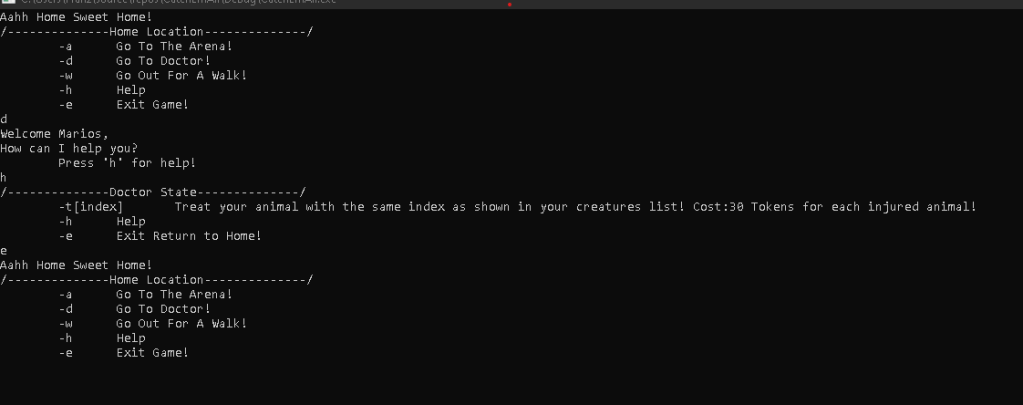
Link to github: https://github.com/coffee-enthusiast/CatchEmAll
A micro-version of Pokemon made in C++!!
In Order the player to travel to different locations with different actions available there I implemented a State Machine with each state representing each location(ie. Arena, Doctor, Gym, etc.)
class State
{
public:
	State(StateMachine* sM, Map* m);
	State();
	~State();
	StateMachine* stateM;
	Map* map;

	virtual void EnterState() = 0;
	virtual void HandleInput() = 0;
	virtual void Update() = 0;
	virtual void ExitState() = 0;
};
When player changes location the following code gets executed:
void StateMachine::ChangeState(State* newState)
{

	if(currentState != nullptr)
		currentState->ExitState();

	currentState = newState;

	currentState->EnterState();
}
Here is what the Home location state looks like:
/*-- HomeState.h ----*/
class HomeState : public State
{
private:

	Player* p_Player;
public:
	HomeState(StateMachine* sM, Map* m, Player* p);
	HomeState();
	~HomeState();

	void EnterState();
	void HandleInput();
	void Update();
	void ExitState();

	bool gameEnds;
	void PrintHelp();
private:

};

/*-- HomeState.cpp ----*/
void HomeState::HandleInput()
{
	int input = getchar();
	if (input == 'h')
	{
		PrintHelp();
	}
	else if (input == 'a')
	{
		stateM->ChangeState(map->arenaLocation);
	}
	else if (input == 'd')
	{
		stateM->ChangeState(map->doctorLocation);
	}
	else if (input == 'w')
	{
		stateM->ChangeState(map->walkLocation);
	}
	else if (input == 'e')
	{
		gameEnds = true;

	}
	else if (input == 'p')	// Print Creatures command
	{
		p_Player->PrintMyCreatures();
	}
}
Finally here is a glimpse of battle between player and ai:
void Battle::rivalAttacks() { // If chosenEntity is effective againt opponent then Use a Move if (aiChooseAction() == 0) { // Choose a random move Move myMove; do { myMove = rivalChosenEntity->myMovesQuad.GetMove(rand() % rivalChosenEntity->myMovesQuad.size); } while (myMove.name == ""); if(myMove.category == "Physical") { // Calculate and Take damage from the rival entity cout << rival->getName() << " used " << myMove.name << "!" << endl; float damage = rivalChosenEntity->getAttack() + myMove.power - playerChosenEntity->getDefence(); damage *= (float)myMove.accuracy / (float)100; damage *= effectiveAgainstType(rivalChosenEntity->getType(), playerChosenEntity->getType()); damage /= (float)5; playerChosenEntity->TakeDamage(damage); rivalChosenEntity->changePowerPoints(myMove.powerPoints); cout << playerChosenEntity->getName() << " lost " << to_string(damage) << " HP!" << endl; if (playerChosenEntity->getHealth() <= 0) { cout << playerChosenEntity->getName() << " fainted!" << endl; rivalChosenEntity->addExpPoints(8); playerAliveLeft--; if (playerAliveLeft == 0) { battleEnded = true; whoWon = rival; } } } } } -
Text Based Game(C++): mikroIkariam
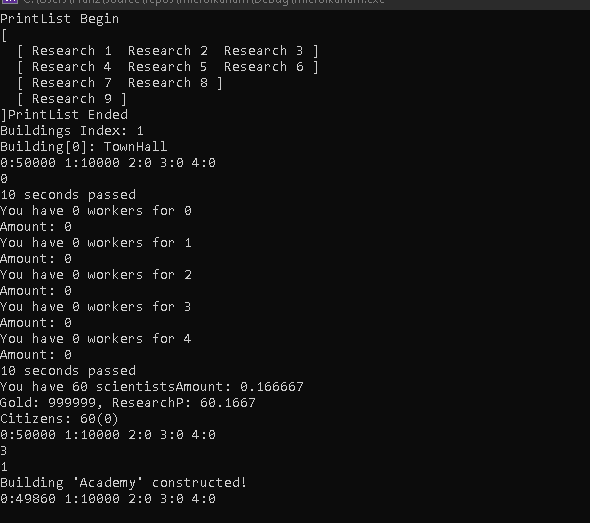
Link to github: https://github.com/coffee-enthusiast/microIkariam
This project is a micro version of Ikariam, an old online strategy game.
As a player you build towns, you gather as much resources you can. There are also other players that you live with in islands and you can attack them and steal their resources. So you have to train army both to attack and defend other players. The choice is yours.
First, the game runs in real time so there has to be a clock timer always running and calculating the passed time. Time is used for gathering resources, traveling to locations and in war. The time passed is calculated in each loop by a Simulate() member method of Player class.
void Player::Simulate()
{
	double seconds = difftime(time(NULL), lastModified) - difftime(lastUpdate, lastModified);
	for (auto t = myTowns.begin(); t != myTowns.end(); t++)
	{
		(*t)->Simulate(seconds, &myResearchPoints, &myGold);
	}

	lastModified = time(NULL);
	lastUpdate = time(NULL);
}
Then each town of the player simulates. The gold paid by free citizens, research points produced by scientists and resources gathered by workers.
void Town::Simulate(double seconds, double *rP, double *g)
{

	*g += ((double)citizensFree * 3 * seconds) / 3600;
	myWorkers->Simulate(seconds, myResources, g);
	myScientists->Simulate(seconds, rP, g);

	cout << "Gold: " << *g << ", ResearchP: " << *rP << endl;
	cout << "Citizens: " << citizens << "(" << citizensFree << ")" << endl;
}
Resources of the game that can get gathered are: Wood, Crystal, Marble, Sulfur, etc. This is the implementation of resource class I made which can be reused and easily extended regardless of any change to the actual resources.
enum ResourceType { Wood = 0, Marble, Sulfur, Crystal, Wine }; class Resource { ResourceType type; float amount; public: Resource(); Resource(ResourceType t, float a); bool operator<=(Resource other); bool operator+(float value); bool operator-(float value); float getAmount(); ResourceType getType(); }; class Resources { public: // 0:wood, 1:marble, 2:sulfur, 3:crystal, 4:wine Resource allResources[5] = { Resource() }; Resources(); Resources(Resource r1); Resources(Resource r1, Resource r2); Resources(Resource r1, Resource r2, Resource r3, Resource r4, Resource r5); void operator+(Resource other); bool operator<=(Resources other); void operator+(Resources other); void operator-(Resources other); void toString(); }; -
Text Based Game(C++): 2048
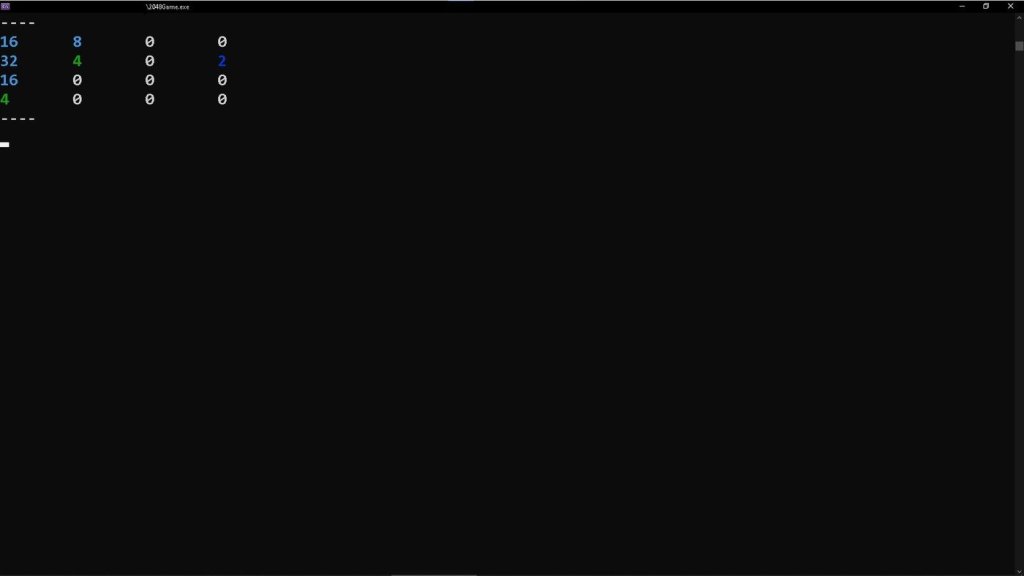
Link to github: https://github.com/coffee-enthusiast/2048TextBased
A grid 4 x 4 of cells/boxes that either have a number or not.
class Cell
{
private:
	int m_value;
public:
	int getValue();
	void setValue(int value);
	Cell();
	~Cell();
};
The game loop is simple:
- Spawn a new cell with value 2 or 4
- Player chooses a direction to move all the cells(Up,Down,Right,Left)
- All the cells are moved towards the selected direction
This is the code that gets executed when player chooses Up as a direction:
void MoveUp(int y, int x)
{
	if (table[y][x].getValue() != 0)
	{
		// If upper cell is empty
		int upperValue = table[y - 1][x].getValue();
		if (upperValue == 0)
		{
			table[y - 1][x].setValue(table[y][x].getValue());
			table[y][x].setValue(0);
			somethingMoved = true;
			if (y - 2 >= 0)
				MoveUp(y - 1, x);
		}
		else
		{
			if (upperValue == table[y][x].getValue() && !mixHappened)
			{
				table[y - 1][x].setValue(table[y][x].getValue() * 2);
				table[y][x].setValue(0);
				if (table[y][x].getValue() * 2 > maxScore)
					maxScore = table[y][x].getValue() * 2;
				cellsFilled--;
				mixHappened = true;
				somethingMoved = true;
			}
		}
	}
}
table[][] is 4 by 4 array of cells that hold the number of each cell.
somethingMoved is a global bool that gets true if a cell moved, when its true at the end of the game loop a new random cell will be spawned.
mixHappened is a bool that gets true when 2 cells with the same value touch and they mix together to a new cell with double their value. It is used to prevent from consecutive cell mixes.
The method is called for each cell from the main() method:
playerInput = getchar(); switch (playerInput) { case 'w': for (int x = 0; x < 4; x++) { mixHappened = false; for (int y = 1; y < 4; y++) { MoveUp(y,x); } } break; -
Indie Game Jam: Don’t Wake Up Yet
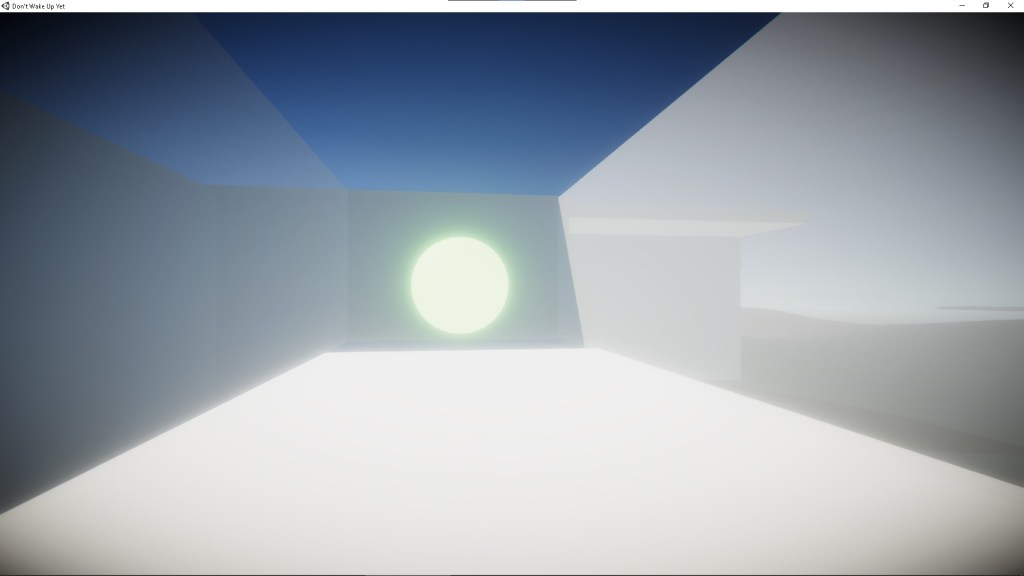
I took part in the game jam in May of 2022.
Link to itchio game page: https://marios-vas.itch.io/dont-wake-up-yet
Game mechanics/ Systems I implemented:
- Player Movement (walking, running)
- Camera Rotation
- Teleporting
- Trigger Events
- Multiple game endings
The teleport mechanic is used in the second ending of the game. The player arrives at a room that is divided in 4 sub-rooms. Each sub-room is connected with each other with a teleport door. When player crosses a teleport door, the player is teleported on top of either the blue or red cube in that room. So the player has to push the red cube to the room of their choice to teleport there and finish the game.
Here is the code of teleport doors:
public class Teleport : MonoBehaviour
{

    public Transform teleportPosition;

    private void OnTriggerEnter(Collider other)
    {
        if(other.tag == "Player")
        {

            CharacterController c = other.gameObject.GetComponent<CharacterController>();
            StarterAssets.FirstPersonController f = other.gameObject.GetComponent<StarterAssets.FirstPersonController>();
            c.enabled = false;
            f.enabled = false;
            other.gameObject.transform.position = teleportPosition.position + new Vector3(1,0,0);
            c.enabled = true;
            f.enabled = true;
        }
    }
}
Another mechanic I made is the trigger event mechanism. In the scenes there are walls that when the player crosses them events are triggered (ie. hidden doors open).
Each game finishes when the player touches the gloomy green ball that gives them an answer to their difficulties and struggles. In order for the game to have multiple endings, I made a list that keeps all the magic balls and whenever an endings is triggered I activate the next one and deactivate the current.
public class EndingsAssistant : MonoBehaviour
{
    public List<GameObject> finishList;
    public int index;
    public GameObject currFinish;
    // Start is called before the first frame update
    void Start()
    {
        index = -1;
        NextFinish();
    }


    public void NextFinish()
    {
        if (index + 1 < finishList.Count)
        {
            index++;
            currFinish = finishList[index];
            currFinish.SetActive(true);
        }
    }
}
github link to all the code I used for the game: https://github.com/coffee-enthusiast/DontWakeUpYet
-
Indie Game Jam: John was sleeping
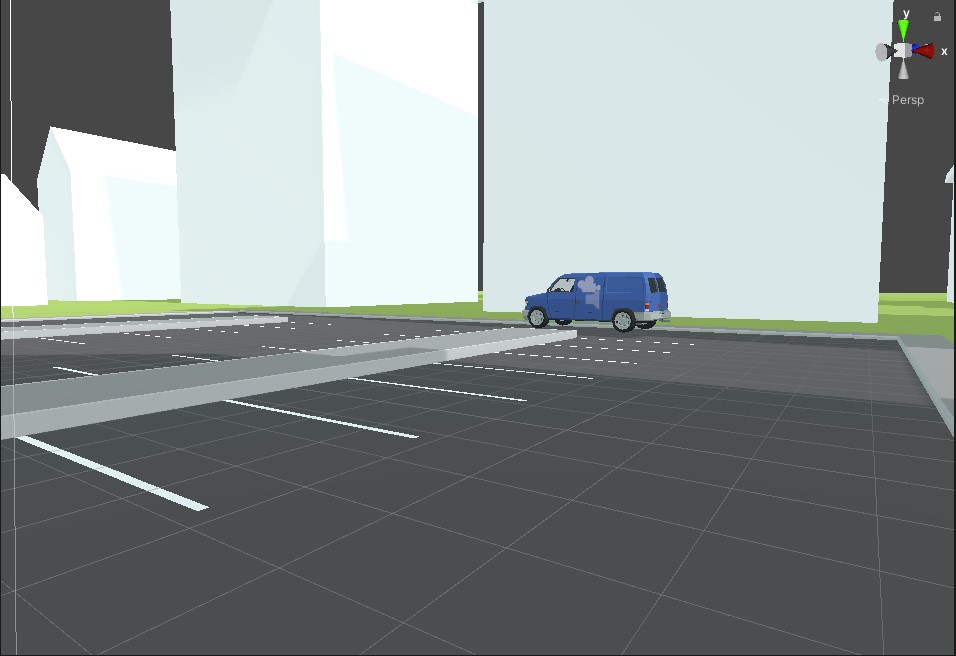
I took part to the game jam in late 2021.
Link to itchio: https://marios-vas.itch.io/john-was-sleeping
Game mechanics that I implemented:
- Movement(Driving, Walking)
- Camera rotation
- Bomb diffusion
- Select button/cable
- Click button/cable
- Hold input in memory/ check input if correct
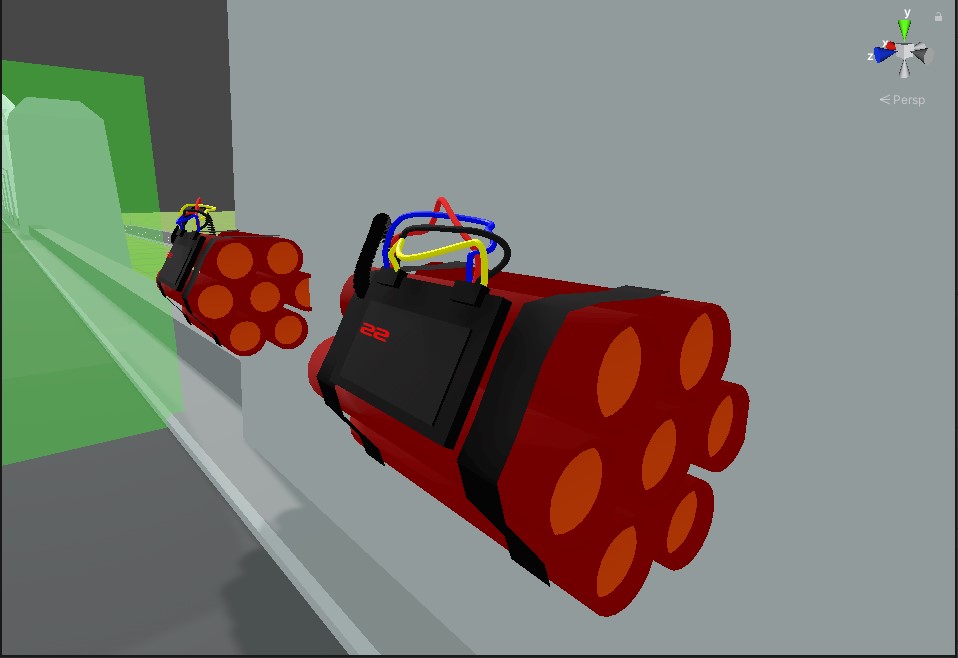
Each bomb object has a script attached to it that holds user’s input and checks if input is correct. If input is not correct or timer reaches zero bomb explodes.
public class Bomb : MonoBehaviour
{

    public float delay = 50f;
    public float radius = 5f;
    public float force = 700f;

    public GameObject explosionEffect;

    public bool hasExploded;

    public MeshDestroy meshDestroyObject;

    public AudioSource audioSource1;
    public AudioSource audioSource2;

    // Update is called once per frame
    void Update()
    {

        if(hasExploded){
            meshDestroyObject.explode = true;
            Explode();
        }
    }

    void Explode(){
        // We instantiate the explosion where this bomb object is!
        Instantiate(explosionEffect, transform.position, transform.rotation);
        audioSource1.Play();
        audioSource2.Play();

    }
}
Bomb types and input check system:
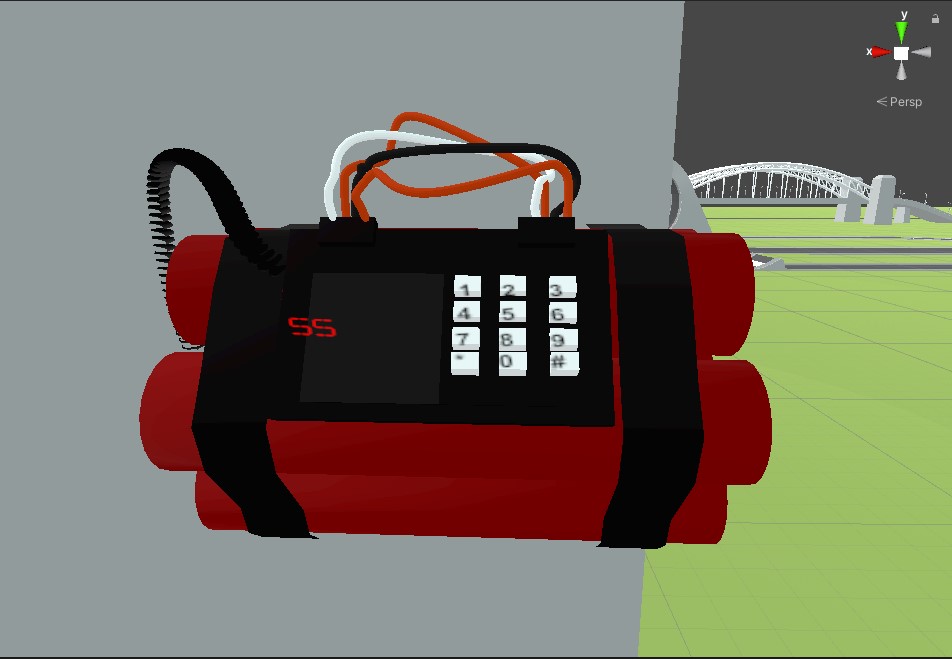
- Bomb with keypad
- Press buttons in correct order to diffuse bomb
- When a button is pressed I append the number depicted on the button to a string. When the string length == 4, an equal check is done between that string and another with the correct password. If they are not equal bomb explodes.
public class ClockBomb_NumPad : MonoBehaviour { public bool isEnabled; public Bomb bomb; float countdown; public Transform time_text; public Transform pass_text; public string _password; string passwordInserted; public void initBomb(){ countdown = bomb.delay; passwordInserted = ""; isEnabled = true; } void Update(){ if(isEnabled){ if (countdown > 0) countdown -= Time.deltaTime; else{ boom(); } time_text.GetComponent<TextMesh>().text = countdown.ToString("F2"); } } public AudioSource diffused; public void checkPassword(){ if(passwordInserted == _password){ //"You diffused the bomb!" isEnabled = false; diffused.Play(); }else{ boom(); } } public void buttonPressed(int number){ if(passwordInserted.Length <= 3){ passwordInserted += number.ToString(); pass_text.GetComponent<TextMesh>().text = passwordInserted; if(passwordInserted.Length == 4) checkPassword(); } } void boom(){ //"Boom!!" bomb.hasExploded=true; isEnabled = false; Destroy(gameObject); } }- Bomb with cables(Cut the right color)
- When a cable is clicked it gets cut. If cable is the color needed, bomb is unarmed. If wrong color clicked or timer runs up it explodes.
- Bomb with cables(Cut them in the right order)
- When a cable is clicked it gets cut. There is a list in memory that holds the correct cable’s id to be cut. If the order is wrong or timer runs up bomb explodes.
public class ClockBomb_InOrder : MonoBehaviour
{
    public bool isEnabled;
    public Bomb bomb;
    float countdown;
    public Transform text;
    int cables_num;
    int _indexList;
    public List<int> cablesToCutOrder;
    public void initBomb(){
        cables_num = 4;
        countdown = bomb.delay;
        isEnabled = true;
    }

    void Update(){

        if(isEnabled){
            if (countdown > 0)
                countdown -= Time.deltaTime;
            else{
                boom();
            }
            text.GetComponent<TextMesh>().text = countdown.ToString("F2");
        }
    }

    public AudioSource diffused;
    public void cutCable(int index){
        if(cablesToCutOrder[_indexList++] != index){
            boom();
        }else{
            if(_indexList == cables_num){
                //You diffused the bomb!
                isEnabled = false;
                diffused.Play();
            }
        }
    }

    void boom(){
        //Boom!!
        bomb.hasExploded=true;
        isEnabled = false;
        Destroy(gameObject);
    }


    void initList(){
        int cable_no;
        bool found;
        for(int i = 0; i < cables_num; i++){
            do{
                found = false;
                cable_no = Random.Range(0,cables_num);
                for(int j = 0; j < i; j++){
                    if(cablesToCutOrder[j] == cable_no){
                        found = true;
                        break;
                    }
                }
            } while(found == true);
            cablesToCutOrder[i] = cable_no;
        }
    }
}
 Hi, I'm Marios